Italiano
 English
Shopify
To add the “Chat Button” widget to every page of your Shopify site follow these steps:
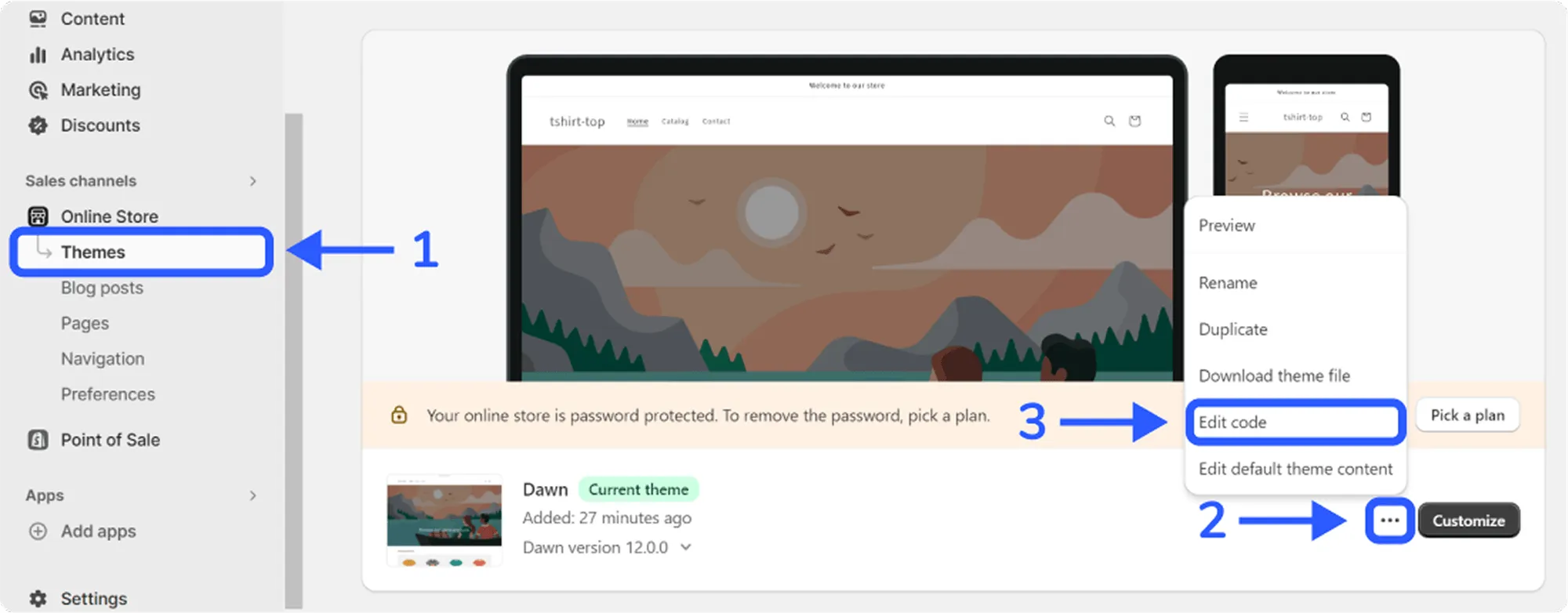
- Log in to your Shopify site and in the left sidebar click on the “Themes” item
- Click on the 3 dots and then click on the “Edit Code” item
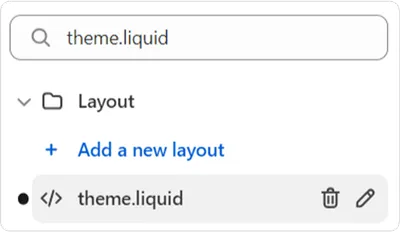
- In the search bar on the left search for “theme.liquid” and click on the file
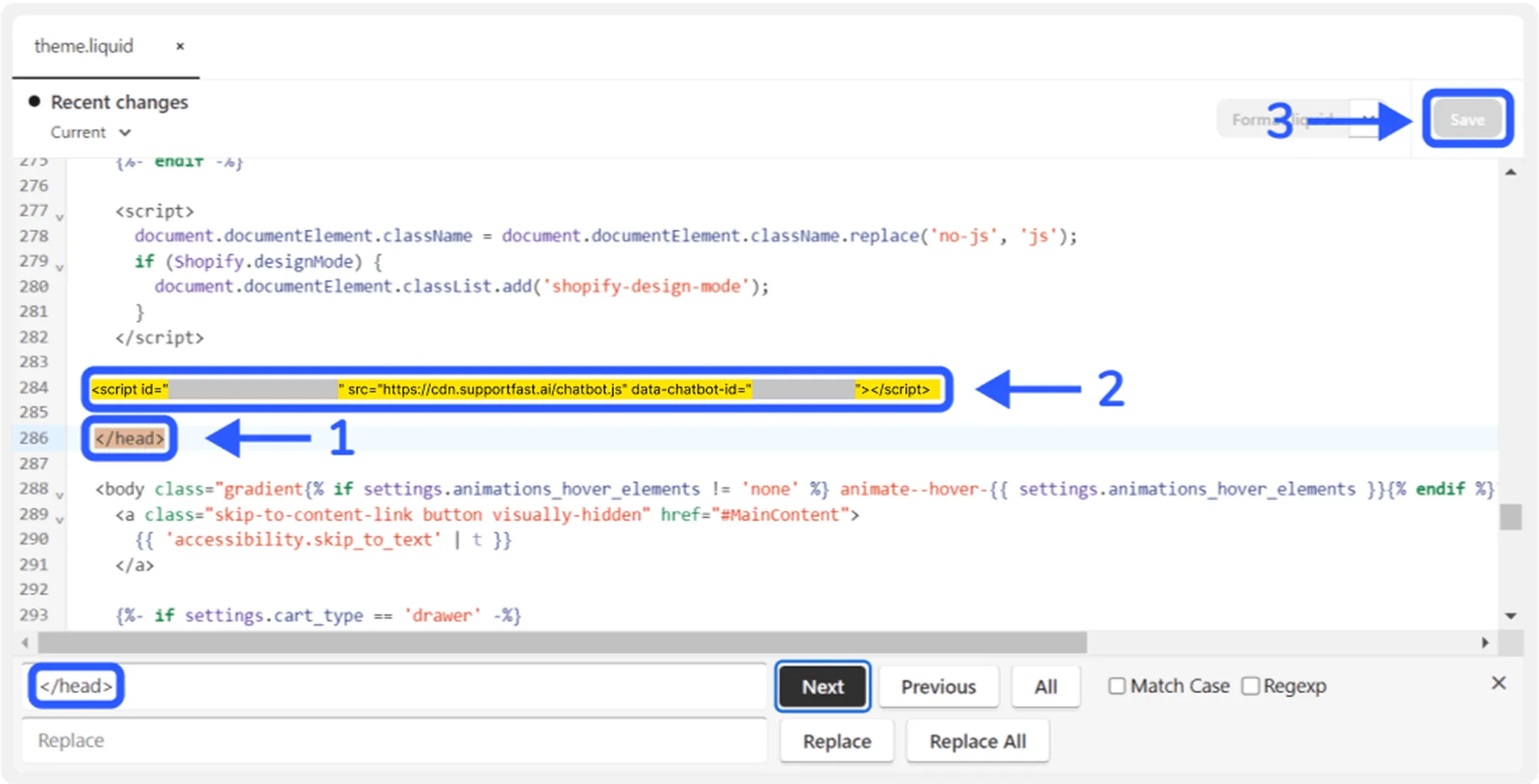
- Inside the file code look for the </head> tag (you can use CTRL + F)
- Paste the “Chat Button” script that you can find in the “Share” section of Supportfast before the closing </head> tag and save the changes