

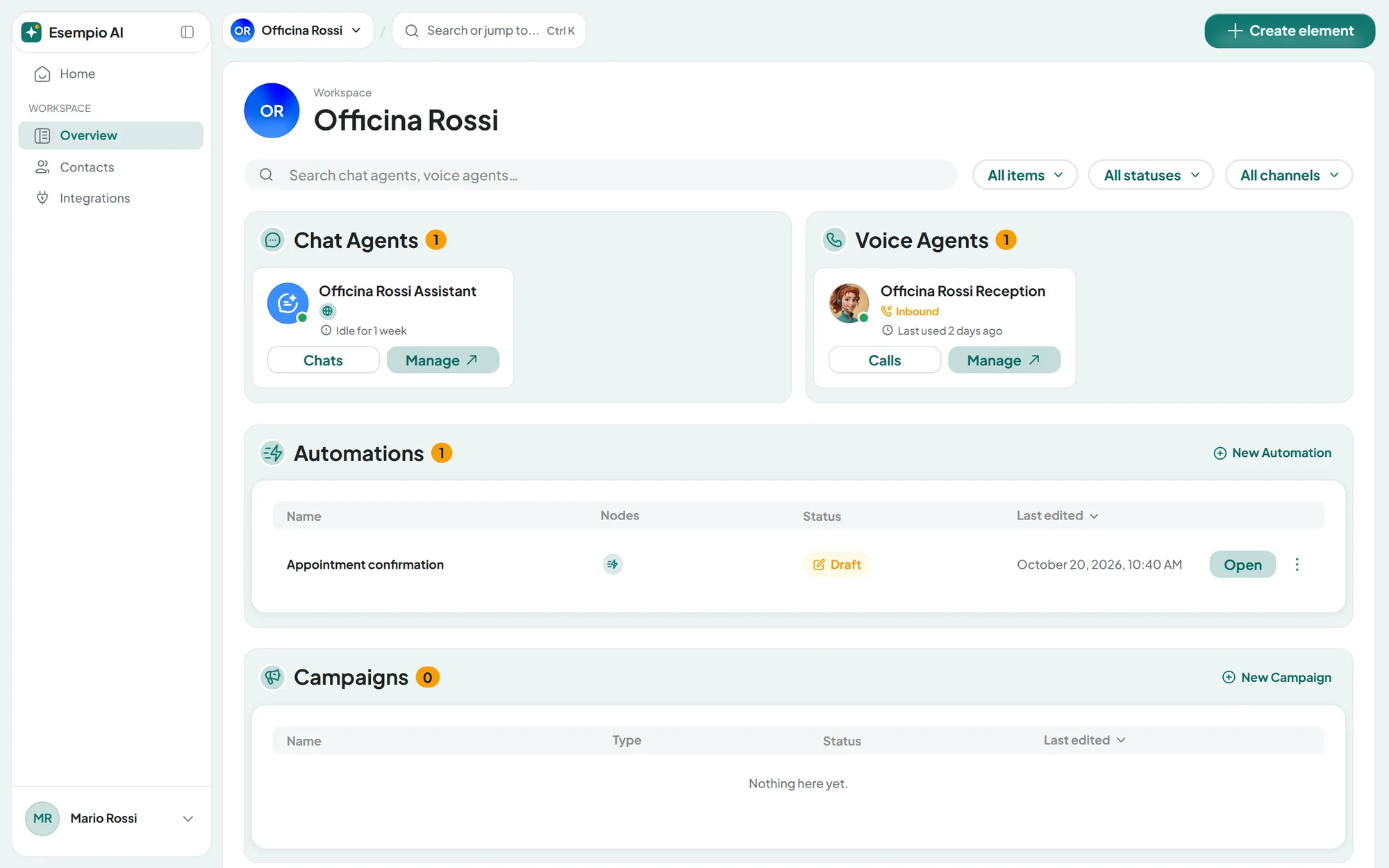
#What's different on the portal compared with this guide
The rest of this guide describes the SupportFast console. On the portal everything works the same way, except for the differences below. What each client sees depends on their user's workspaces, agents and permissions: see Your clients.
#Sign-in and account
- No sign-up. You create your clients' users in the Team, and you hand over their email and password.
- The sign-in page shows your logo on a gradient of your colors, without Sign up and without the line with the Terms of Service and Privacy Policy. Signing in, Remember me and Forgot your password? work as on the SupportFast sign-in page.
- Home. There's no welcome tour and no “What do you want to create today?” bar. You create things with New workspace and, inside the workspace, with Create element, campaigns included.
- Sidebar. There's no Guide link and no plan card.
- Profile. It's the same, without the Delete account panel, not even for you: you suspend or delete users yourself from the Team.
#Chat agent and widget
- The Share code snippets are neutral. Chat button, Link and Direct Sharing and iFrame don't contain the SupportFast name. You install them as explained in Installing the widget. In the same tab, however, the tutorial guide link and the installation figures show the SupportFast name.
- The signature. “Powered by SupportFast.ai” doesn't appear at the bottom of the chat. Your signature appears if you've set it up: see The signature in your agents.
- The widget icons. Supportfast mark is missing from the default icons.
Copy the code from the portal. The code depends on the address you open Share from: if you copy it from app.supportfast.ai, it contains the SupportFast name. Always copy it in full from the portal, without changing it.
A button already installed with the SupportFast code keeps working: to make it neutral, replace it. If you change the portal's domain, the Chat button keeps working; links and iframes, however, contain the old address and must be copied again: see Changing the domain.
#Channels, calendars and numbers
The client requests channels and calendars with Ask your administrator, you connect them from the SupportFast console, and the client then configures them from the portal. You also manage the voice agents' numbers: the client sees them but can't change them. See Your clients' channels and calendars.
#Contacts, conversations and emails
Contacts, conversations and the live chat (the Operator Chat tab) work as described in this guide. The portal's automatic emails are sent from your address, with your brand, and their links open the portal. Which emails they are, and what they need in order to be sent, is in Custom email.
#Plans, payments and usage
- No plan pages. Subscription, Plans, White label and the trial page aren't there. Your clients don't see plans, prices or quotas.
- Add-ons and automatic purchase are managed by you from the SupportFast console, on your plan, and they cover the usage of all your clients. If an agent or a campaign stops because a quota has run out, the client has to ask you. See Quotas add up on your plan.
- OpenAI key. Keys sit at three levels: account, workspace and agent. You set the account key in AccountSubscription, only on the SupportFast console; workspace and agent keys can also be set from the portal. The one closest to the agent applies. Only people with the “Billing” permission can see and change them, and clients shouldn't be given it: see Quotas add up on your plan.
#Plan messages
When an action goes beyond your plan, the client never reads about plans or prices. They read neutral sentences that refer them to the “Administrator”, that is, you.
| Situation | What the client reads |
|---|---|
| A full quota, for example agents | “No more Chat agents can be created” and “Ask your Administrator to add more.” |
| A resource to turn back on beyond the quota | “No more … can be enabled” and “Ask your Administrator to enable more.” |
| A feature not included in the plan, for example the live chat | “… is not available” and “Ask your Administrator to enable this feature.” |
Items blocked by the plan show a small padlock. Only you, the account owner, see the same windows on the portal with the button to view the plans, which opens the SupportFast console in a new tab. All other users, even with the Admin role, read the neutral version.
#The closed portal: codes 001–004
In some cases, instead of the sign-in page, the portal shows “Portal unavailable” with a code, for example “Code 004”. The page shows no brand, neither yours nor ours. It tells the client: “Try again in a few minutes. If the problem continues, contact your administrator.”
| Code | What it means | What to do |
|---|---|---|
001 | A temporary connection problem. | It usually clears up on its own: try again after a few minutes. If it continues, write to us with the code, the domain and the time. |
002 | The address opened doesn't match any portal. | Check that the address is exactly the domain saved in AccountWhite label, with no typos. |
003 | Your account no longer has a White Label plan: the trial or the subscription has ended. | From the SupportFast console, activate a White Label plan in AccountPlans. See Plans and free trial. |
004 | The payment for your plan failed. | Pay the invoice from the SupportFast console: see Subscription and payments. An unpaid add-on has no effect on the portal. |
Once the problem is fixed, the portal reopens on its own within a few minutes.
A closed portal doesn't mean the agents have stopped. With code 004, your clients' agents keep replying on the website, on the channels and by phone, until the plan's deactivation date: see If a payment fails. With code 003, the account is on the free plan: only the agents within its quotas stay active, without WhatsApp, Instagram and Messenger, and the SupportFast signature comes back at the bottom of the chat. See When the trial ends.
#Frequently asked questions
What language does the client see the portal in?
In their user's Preferred language, which you choose when you create it. The client can change it from AccountProfile, choosing from 11 languages.