

#The 24-hour customer service window
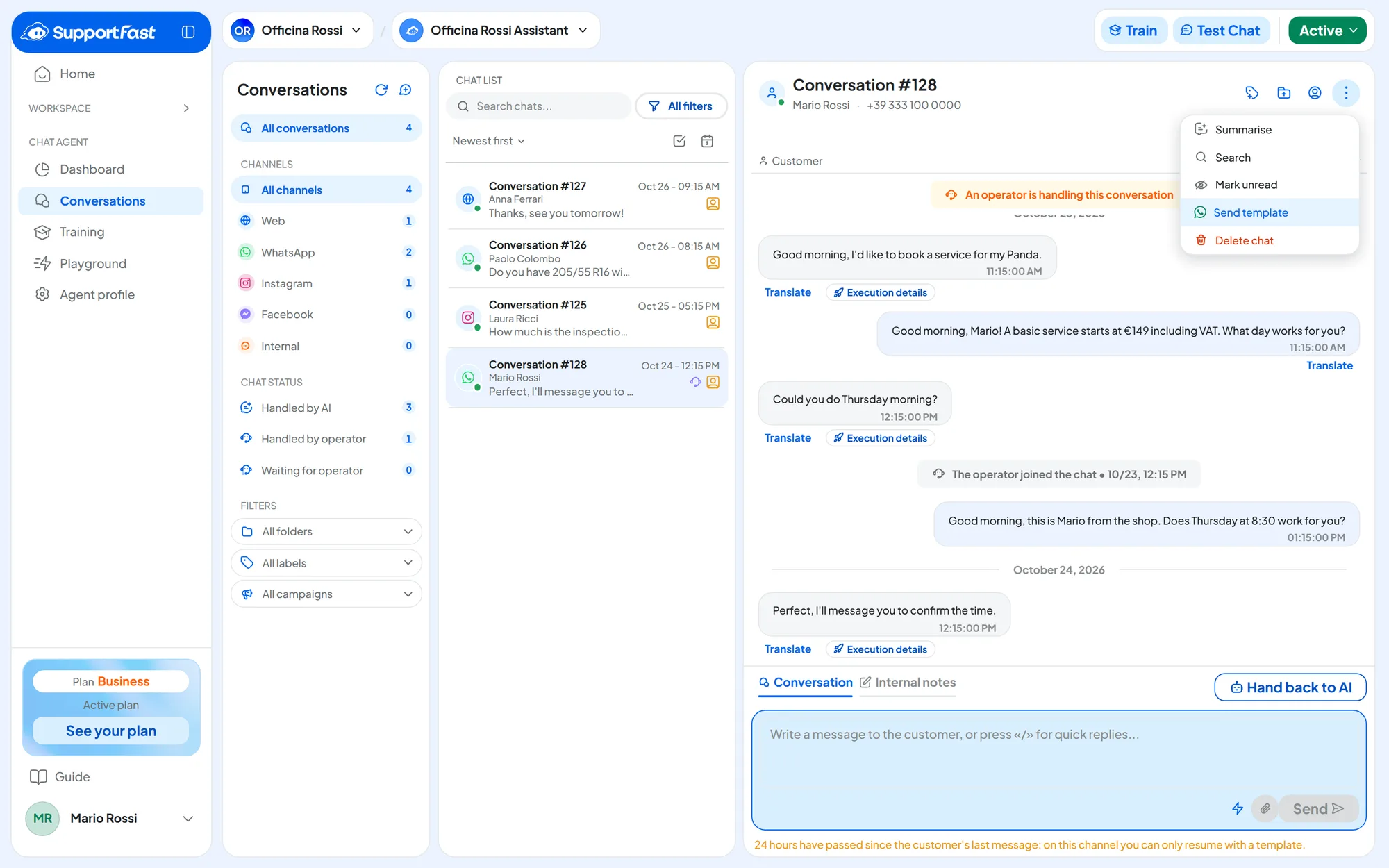
When a customer writes to you, a 24-hour window opens, which Meta calls the customer service window. Inside the window, the agent and operators reply with any message, without templates; what you pay for is in What it costs and who pays. Each new message from the customer restarts the 24 hours.
- WhatsApp. You also need an approved template to write first to someone who has never written to you.
- Instagram and Messenger. There are no templates: after 24 hours, you wait for the customer to write to you again.
#What it costs and who pays
For WhatsApp there are two separate bills, which don't overlap:
- Meta charges for the WhatsApp messages you send. You pay them directly to Meta, with the payment method of your WhatsApp Business Account (the space on Meta that holds your WhatsApp numbers and templates), and you find them in Meta's billing.
- SupportFast counts the agent's replies in your plan's usage, as on every other channel. This is the cost of the agent's work, not of sending on WhatsApp.
Meta decides which messages you pay it for, and it changes prices and rules over time. According to Meta's pricing page for the WhatsApp Business Platform, in the version in effect from 1 October 2026 (checked on 30 October 2026):
- templates are charged per delivered message, at a price that depends on the category (Marketing, Utility or Authentication) and on the recipient's country;
- replies inside the 24-hour window, including the agent's, are free up to 1,000 a month per number; beyond that, you pay for them;
- the messages that customers send you are free.
With coexistence, the messages you write from the WhatsApp Business app on your phone stay free and don't affect the 24-hour window, according to Meta's documentation on coexistence (checked on 30 October 2026). The agent's replies, on the other hand, are sent from the platform and follow the rules above.
Before deciding, always check the current figures on Meta's page and in the WhatsApp pricing overview.
#The payment method
Add a valid payment method on Meta for your WhatsApp Business Account. You manage it from Meta's billing page, with the Facebook account that is an admin of the business. You don't need it to connect the number to SupportFast: you need it to send paid messages.
Without a payment method, paid messages aren't sent:
- templates from campaigns, automations, New conversation and Send template in conversations fail;
- since 1 October 2026, once the month's free allowance is used up, Meta no longer delivers even the replies inside the 24-hour window, including the agent's.
#Business verification
With Business verification, Meta confirms that your business really exists. You request it from the business settings in Meta's Business Manager, your business's space on Meta, which Meta now calls a “business portfolio” and you open from Meta Business Suite. The procedure is explained in Meta's guide to verification.
Meta usually asks for official documents. For an Italian business, have a recent company registration extract (visura camerale) ready, with the company name written as in the Business Manager. An email address on the business's domain helps.
#Messaging limits
Meta limits how many different people you can write to first in 24 hours, that is, outside the windows opened by customers.
- A new account starts with a low limit: begin with a few contacts and increase gradually.
- The limit goes up with Business verification and with good-quality messages.
- Beyond the limit, new sends don't go out until the 24-hour count frees up room.
- Replies inside a window opened by the customer don't count.
The current values are on Meta's page on messaging limits.
#Message quality
Meta looks at how customers react to your messages: whether they read them, or block or report you. Each template has a quality rating, which you see next to its status (see Review and statuses), and the number has one too, in Meta's Business Manager. With good quality, your messaging limits go up; if it drops a lot, Meta may lower them. A few precautions are enough to keep it high:
- Write only to people who gave you their number and agreed to receive your messages on WhatsApp: see Consent and rules.
- Make yourself recognizable: the business name must be clear in the profile and in the message.
- Offer a clear way to stop receiving messages, for example a “Not interested” quick reply, and respect those who ask: see Blocking contacts.
- Always leave a path to a person: Meta requires that people talking to an automated system can reach an operator.
If you receive a warning from Meta or your sends start failing, pause your running WhatsApp campaigns (see Launching and tracking results) and check the number's status in the Business Manager: Meta shows the reason and how to request a review. The full rules are in the WhatsApp Business Messaging Policy.