

A campaign writes to or calls people who haven't reached out to you at that moment. That's why specific rules apply: privacy rules, WhatsApp's rules and, for calls in Italy, telemarketing rules. This page helps you find your way, but it isn't legal advice.
#What SupportFast does
- It excludes blocked contacts, even while a campaign is running, as well as contacts without a phone number or with an unrecognized number.
- It only contacts people during the hours you set in Campaign options.
- On WhatsApp, it writes first only with templates approved by Meta.
#What you decide
You decide who goes into the audience: the campaign contacts all the contacts you choose, except those excluded as described above. You collect and keep those people's consent yourself.
#Consent for promotional messages and calls
In Italy, to send promotions on WhatsApp or through automated calls, without a human operator, you generally need the person's prior consent. This is set out in the GDPR and the Italian Privacy Code (Codice privacy). A voice agent that calls without a human operator may also fall into this category.
Consent must be freely given, specific to the purpose, informed and given through a clear action, such as ticking an empty box. You must also be able to prove it: keep a record of when, how and with what wording it was given.
A pre-ticked box that says “I accept the terms of service”.
An empty box that says “Yes, I want to receive Officina Rossi's offers on WhatsApp”.
For service messages to people who are already your customers, such as an appointment reminder, the rules are different: ask your advisor how to handle them.
A list for people who said yes. Keep only the people who agreed in a dedicated list, for example “Promotions consent”, and use it as the audience of your promotional campaigns. You can note the date and method of consent in a contact variable. See Lists and Variables and automatic profiling.
Only the team should fill in this list and this variable, not the AI:
- leave the list without a description: automatic profiling only puts contacts into lists that have one;
- set the consent variable to Manual only: that way the AI doesn't read it or write it.
If you turned on Removal from lists, the AI can still remove a contact from this list when the conversation clearly says they no longer belong in it.
#WhatsApp's consent rules
On top of the law, WhatsApp's rules for businesses apply. In short:
- you can write first only to people who gave you their number and agreed to receive messages from your business on WhatsApp;
- the request must say clearly that the messages will arrive on WhatsApp and from which business. You can collect it wherever you like: on your website, in your store, during a phone call.
If many recipients block the number or report the messages, Meta lowers the template's quality rating and may pause it. A campaign sent to people who don't expect it also harms the campaigns that follow. For template categories and quality, see WhatsApp templates.
#The Registro pubblico delle opposizioni
In Italy, people who don't want to receive promotional calls can register their numbers, landline and mobile, in the Registro pubblico delle opposizioni, the public do-not-call registry. Before a promotional voice campaign, you must check your list against the Registro and remove the registered numbers, except those of people who gave you their consent after registering.
Registering revokes the consents given earlier for promotional calls. In general, only consents given after registration remain valid: to take this into account, you need to know the date of each consent. If you call numbers in other countries, the rules and registries of those countries apply.
Even a call that seems to be a service call can be promotional. For example, following up with someone who asked for a quote becomes promotional if the agent makes an offer. When in doubt, ask your advisor.
#Reasonable hours
Write and call when people expect it: on weekdays and during office hours, not late in the evening or on public holidays. Hours are set in Campaign options.
#Saying that an AI is calling
In voice campaigns, the person who answers must understand right away who is calling, why, and that they're talking to an artificial intelligence. The European regulation on artificial intelligence (AI Act) sets transparency obligations toward people who talk to an AI: ask your advisor how they apply to your calls. How to say it in the voice agent's greeting is explained in Recording and consent.
#People who ask not to be contacted again
Respect the request right away, whatever channel it comes from: both the law and WhatsApp's rules require it.
SupportFast doesn't block anyone on its own. A “STOP” written on WhatsApp or a “don't call me again” said to the voice agent doesn't block the contact or remove them from any list: the agent treats it like any other message. The team notices it by reading the replies.
Decide who on the team takes care of this and how often, for example every working day while the campaign is running and in the days right after. Here's where to look:
- WhatsApp replies. Open the inbox of the agent connected to the number, Chat agentConversations. Choose the campaign in the All campaigns menu and search in Search chats... for words such as “stop”, “unsubscribe” or “remove me”. Replies only arrive if the channel has an assigned agent: see What you need first.
- Calls. In the campaign's Dashboard, open the calls from the Executions rows and read the summary and the transcript. You also find them in Voice agentCalls.
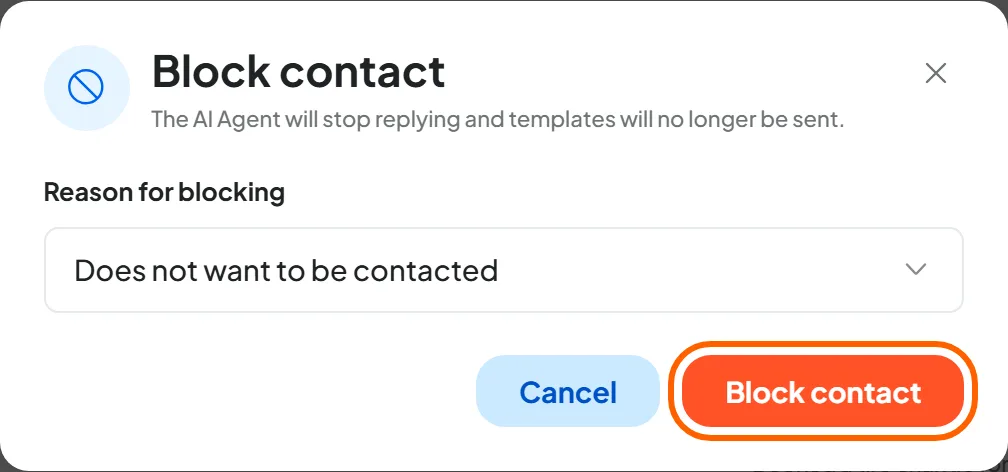
- Then act. Someone with the “Contacts (Workspace)” permission blocks the contact with the reason Does not want to be contacted or, if the person only opts out of promotions, removes them from the list. When to do one or the other is explained in Block or remove from the list.
Also write in the voice agent's instructions how to respond in that case, for example by apologizing and ending the call. The agent can't block the contact: the team does that.
#Before every campaign
- The audience is the list of people who gave their consent, and you can prove when and how.
- For promotional calls, you've checked the Registro delle Opposizioni.
- The voice agent's greeting says who is calling, why, and that it's an artificial intelligence.
- The template is in the right category and makes it clear who is writing.
- You've decided who on the team reads the replies and blocks people who ask not to be contacted again.
#Official sources
The rules change. To learn more, start from the official sources:
- the Garante per la protezione dei dati personali (the Italian Data Protection Authority), with its guidance on marketing and telemarketing;
- the Registro pubblico delle opposizioni, where numbers are checked;
- the WhatsApp Business policy, with WhatsApp's rules for businesses.