

Before you start
- A plan with the “Outbound calls” feature and an active outbound voice agent.
- A campaign or an automation to start the calls, and your contacts' consent.
#Preparing the agent
- A number that can make calls
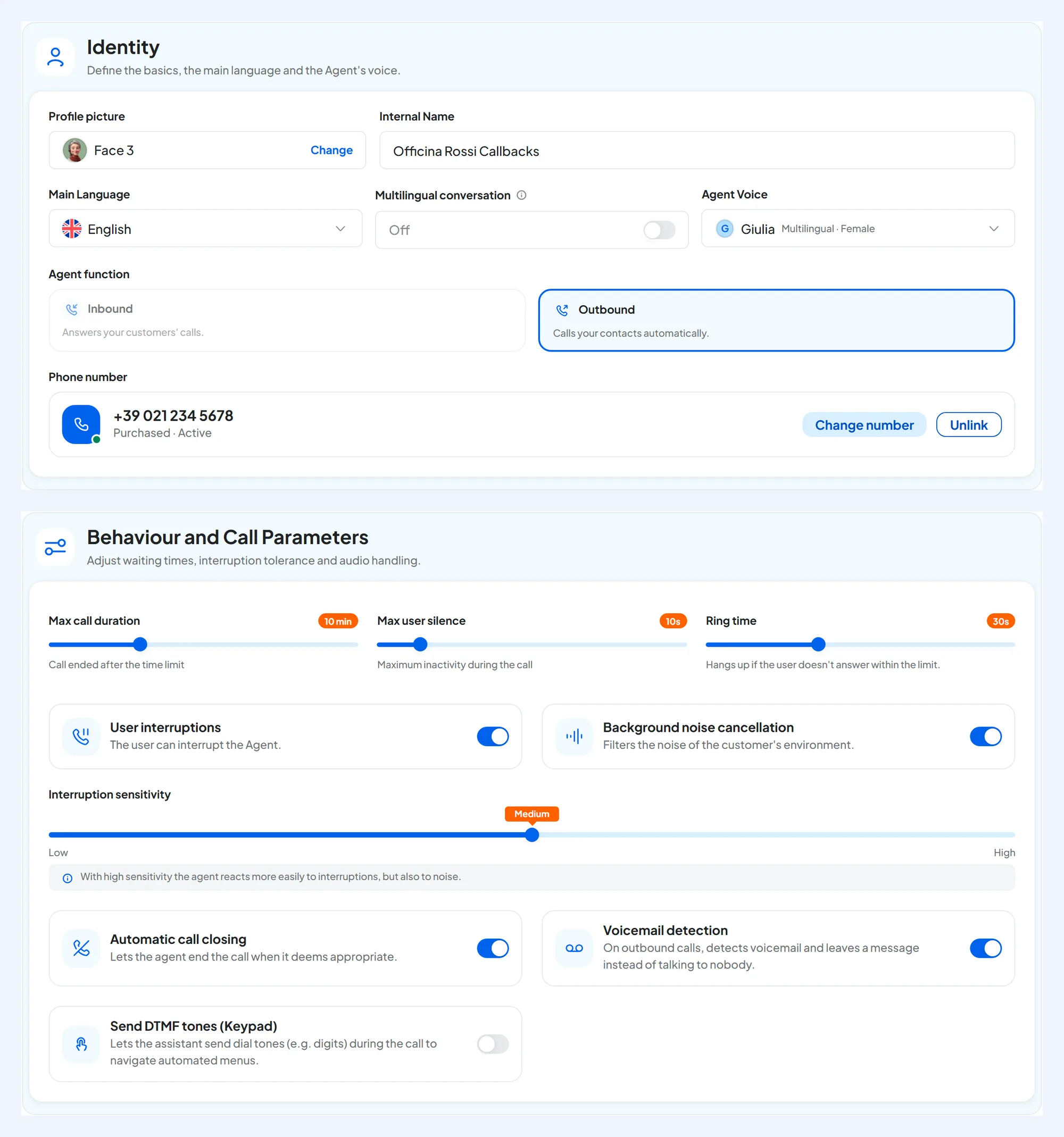
A purchased number or a SIP line enabled for outbound calls: which ones work is in Which number you can buy. You assign it as explained in Assigning and managing numbers.
- A prompt for the person who answers
The person who answers isn't expecting your call: write in the prompt who the agent is, on whose behalf it's calling and why. For the notice that it's an AI, see below.
- Ringing and voicemail
Ring time and Voicemail detection are set in the General step: see Behavior and advanced.
#How calls are started
| “AI Voice Call” campaign | Automation with “Make Call” | |
|---|---|---|
| When to use it | To call a list of contacts: callbacks, confirmations, promotions. | To call a contact when something happens, for example when they're added to a list. |
| Who calls | The active outbound agent you choose in the campaign. | The active outbound agent you choose in the node. |
| When | Within the campaign's “Allowed hours” time slots. | As soon as the automation reaches the node. |
| Where to read more | Creating a campaign and Campaign options | Nodes: messages and actions |
Call only during opening hours. If the automation can start in the evening, put a Wait node with “Only during opening hours” before the “Make Call” node. See Nodes: logic and data.
#Which number the call comes from
The call is made from the number assigned to the agent as “Outbound number”. The person who receives it sees that number. You don't choose the number in the campaign or in the node: it's always the agent's.
If you want to call from your business number, connect it as a SIP line with outbound calls, through your phone carrier or your PBX.
Think about people who call back. People who miss the call often call back the number they saw. Assign the same number to an inbound agent too, so whoever calls back finds someone to answer.
#Attempts
Calls that aren't successful can be retried.
- Campaign: “Max attempts” from 1 to 5, with an interval in minutes, hours or days. On each attempt's card you read “Succeeded” or “Failed”.
- Automation: the “Make Call” node has its own attempts, explained in Nodes: messages and actions.
- If the number is invalid or the phone carrier blocks the call, there are no further attempts: see the end reasons.
- If all lines are busy, the call is retried shortly after. If the month's minutes run out, the campaign stops.
#How many minutes it uses
Outbound calls use your plan's minutes. With a campaign, each contact also counts as one send from the monthly “Campaign sends” quota. The send is deducted when the campaign starts, even if the contact then doesn't answer. New attempts on the same contact don't use more sends. The counting rules are in Plans, quotas and usage.
#Who you can call and what to say
Before calling your contacts, especially for promotions, check that you have their consent. Then follow the rules: the Registro pubblico delle opposizioni (the Italian do-not-call registry), reasonable hours, and the request of anyone who no longer wants to be called. You'll find them in Consent and rules.
- Blocked contacts are never called, neither by campaigns nor by automations.
- Have the agent say right away that it's an AI and on whose behalf it's calling. It does this only if you write it in the greeting or in the prompt. The default greeting already contains the AI notice, but with Customer in Who speaks first? the greeting isn't said. The notices to give are in Recording and consent.
- Write in the prompt what to do if the person doesn't want to be called: apologize, say goodbye and hang up. Then block the contact or remove them from the list.
#Frequently asked questions
My agent doesn't appear among the campaign's agents.
They must be outbound agents and active. If the workspace has none, the campaign says “No active outbound voice agent in this workspace.”
My number doesn't appear in “Assign number”.
Only numbers that can make calls and that you haven't deactivated appear, including those whose order is still in progress: see Assigning and managing numbers.