

#Text or FAQ: which to choose
| Textual | FAQ | |
|---|---|---|
| What it is | A free text with a name. | A question with its answer. |
| When to use it | General information that isn't anywhere else: hours, closures, service rules, descriptions. | Questions that come up often, with an answer that must always be the same. |
| Example | “Hours, closures and courtesy car” | “How much does a service cost?” |
#Create a textual training
-
Open the editor
In Chat agentTraining, press New training, then Select Textual. “Textual Training” opens.
-
Give it a name
In Training name, type a name that states the topic, for example
Hours, closures and courtesy car. The name appears in the list. -
Write the content
In Content, write or paste the text. If it covers several topics, separate them with a line that contains only
---. Below the field you read the “Total characters”. -
Train
Press Train Agent: “Training created” appears.
Example · a text with three topics
Opening hours
Monday to Friday from 8:30 to 12:30 and from 14:30 to 18:30.
Saturday from 8:30 to 12:30. Closed on Sunday.
---
2026 closures
Closed for holidays from August 10 to 21 and from December 24 to January 6.
---
Courtesy car
For repairs that take more than one day we offer a free courtesy car,
to be booked when you drop off your vehicle.#Create an FAQ
-
Open the editor
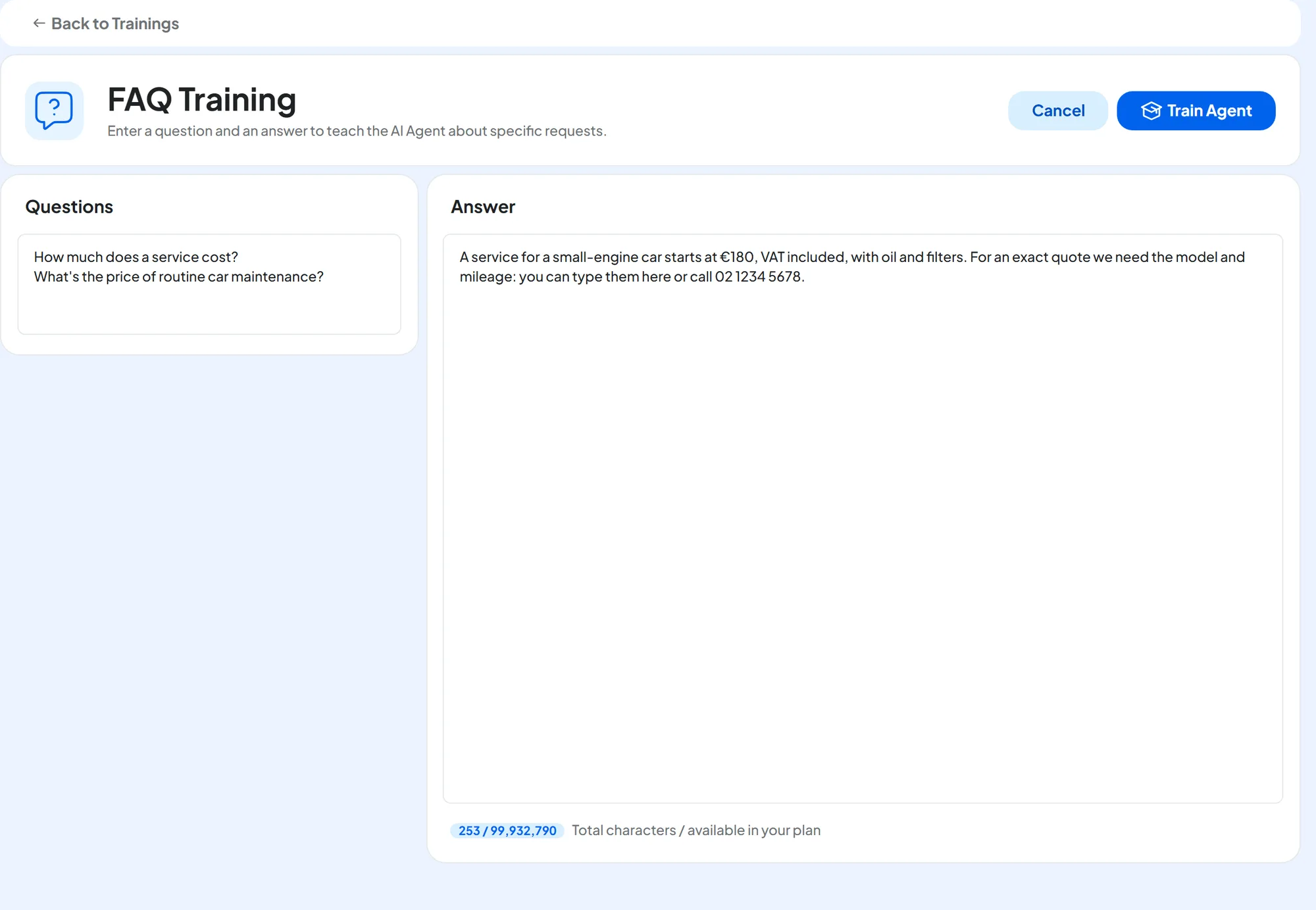
Press New training, then Select FAQ. “FAQ Training” opens.
-
Write the question
In Questions, write the question the way a customer would ask it. You can add a few variants with different words, one per line. The text of the field, variants included, also becomes the name of the training.
-
Write the answer
In Answer, write the complete answer, one that stands on its own: details, conditions and the next step for the customer.
-
Train
Press Train Agent.
Questions: service
Answer: 180
Questions: How much does a service cost?
What's the price of routine car maintenance?
Answer: A service for a small-engine car starts at €180, VAT included, with oil and filters. For an exact quote we need the model and mileage: you can type them here or call 02 1234 5678.
#Correcting a wrong answer
An FAQ also helps you correct a wrong answer. In Conversations, on the agent's message, press Correct answer: an FAQ opens with the customer's question, where you write the right answer. The steps are in Correct answer.
How to check
When the FAQ's status is “Completed”, ask the same question again in the Test Chat.
If the wrong answer came from an outdated source, or if the way of answering is wrong, see How to read it: typical cases.
#Editing and keeping things in order
From the ⋮ menu, choose Edit training: “Edit Textual” or “Edit FAQ” opens. The rules are in Editing a training; here the Delete training trash can deletes the FAQ or the text.
- One FAQ for each question: easier to find and to update.
- When prices or conditions change, find the FAQs that mention them with Search a training.
#Frequently asked questions
The agent doesn't use my FAQ.
Check that its status is “Completed” and that the question uses your customers' words. Make sure no other source says the opposite.